
3D PRINTING GUIDE
MakerWorld Guide: How to Find a 3D Model and Order a Print
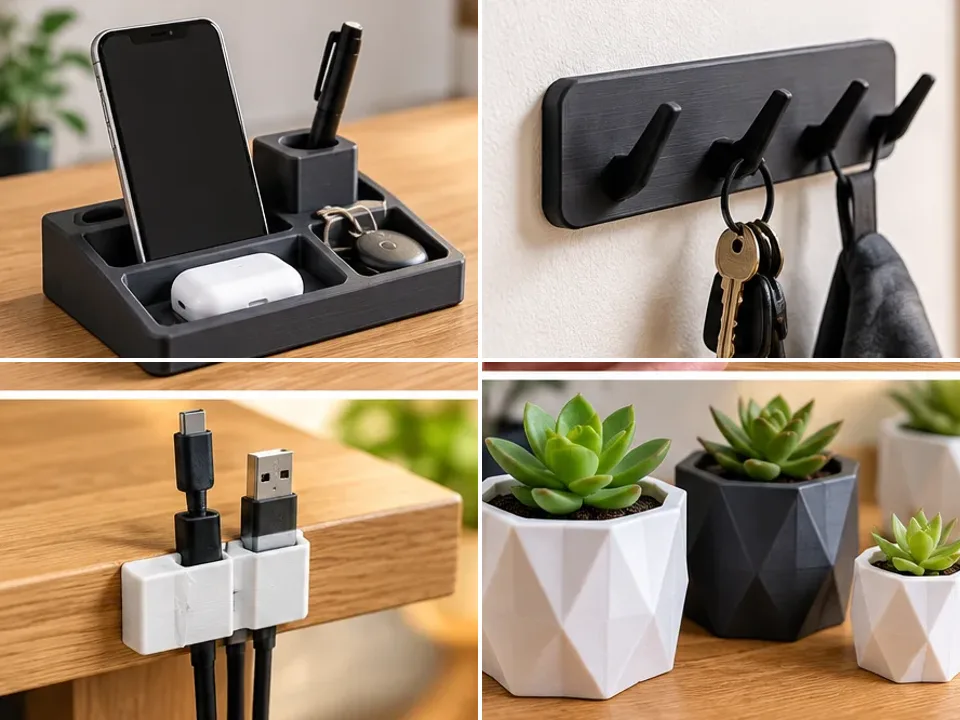
Illustrative image; not a documented customer order.
Looking for a drawer organiser, a replacement part, a phone stand or a miniature that you cannot find in a shop? You do not need a 3D printer or CAD skills. MakerWorld lets you discover ready-made designs and arrange for a 3D printing service to manufacture your chosen object. This guide explains how to find a model, check its licence and request a custom print.
What is MakerWorld?
MakerWorld is a model-sharing platform developed by Bambu Lab. Designers publish digital projects with descriptions, images, print profiles and community feedback. Think of it as a library of objects you can manufacture on demand rather than buy off the shelf. You do not need a Bambu Lab printer to browse the library; many designs can be produced on other compatible printers or by a printing service.
What can you find on MakerWorld?
- Home: drawer organisers, phone stands, cable clips, storage systems and plant pots.
- Replacement parts: knobs, brackets, adapters and accessories for specific products.
- Gifts and hobbies: animal figurines, decorations, personalised keyrings and board game accessories.
- DIY: electronics enclosures, workshop tools, robot parts and Raspberry Pi projects.
Some designs allow changes to text or dimensions. For functional parts, check the fit and loading requirements instead of judging by appearance alone. Explore our 3D printing applications guide for more inspiration.
How to use MakerWorld: five steps for beginners
1. Open the library and search
Visit makerworld.com, browse categories or use the search bar. You may need a Bambu Lab account to download certain files, but you can explore without CAD software. Try these searches:
- Phone stand or headphone holder
- Drawer organizer or cable clip
- Replacement part plus the brand and device model
- Electronics enclosure or Raspberry Pi case
- Dog figurine or plant pot
For a specific accessory, include the product name, such as IKEA SKÅDIS holder or IKEA RÅSKOG accessories. Verify the exact product version and mounting dimensions.
2. Review photos, dimensions and instructions
Read the model description and assembly instructions. Check dimensions, actual print photographs, ratings and user comments. Computer renderings do not guarantee an identical physical result. Some designs require screws, magnets, bearings or other hardware; check what must be purchased separately. For a part that fits another object, give us a reference dimension.
3. Understand print profiles
A print profile contains settings for a particular printer configuration: layer height, infill, supports, part placement and sometimes colour assignments. Different profiles may change the finish, material consumption and production time. You do not need to select these yourself: we can review the model and choose suitable settings.
4. Check the model licence
Many projects can be downloaded free of charge, but free access does not mean unrestricted use. A licence may restrict modifications, sales of physical prints or paid production by another party. We check the relevant licence before accepting an order. If the intended use is not permitted or the terms are unclear, additional permission or a different licence may be necessary. Personal use by a customer does not automatically mean a paid printing service is allowed.
5. Copy the link or download an STL or 3MF file
The simplest option is to copy the model page URL. Alternatively, check the available model or profile downloads. STL stores the object's geometry as triangles. 3MF can also contain multiple components, colours and print settings. Available formats vary by project. You do not need to install a slicer just to request a quote.
For more information, see how to prepare an STL file for 3D printing.
Can every MakerWorld model be printed?
Not necessarily. Thin details, overhangs, complex mechanisms, large dimensions and multicolour designs may need extra preparation. Functional parts require attention to layer orientation, tolerances and loads. Scaling can change the fit of holes, clips or fasteners. We assess the model in a slicer and discuss adjustments where needed. FDM prints may show visible layers and support marks.
Which material should you choose?
PLA is useful for decorative objects, organisers and many prototypes, but generally unsuitable for high-temperature applications. PETG often suits functional parts and enclosures requiring moisture resistance or greater toughness. TPU works for flexible covers, bumpers and pads. The choice depends on geometry and operating conditions. Read our PLA, PETG and TPU comparison.
How much does a MakerWorld print cost?
A free digital model is not a free physical product. Price depends on material usage, machine time, supports, colours, model complexity and finishing. Two objects of equal weight can take very different amounts of time to manufacture. We review your specific model to prepare an individual quote. Learn more about 3D printing pricing factors.
How to order a MakerWorld print from 3DPrintMe
- Find a model and copy the link or download an available file.
- Open our quote form and paste the link in the project description. Include quantity, preferred colour, size and intended use.
- Describe any resizing or personalisation you need.
- After checking the licence and printability, we can provide a quote and material recommendation.
- Once you approve the offer, we arrange production and collection in Kraków or shipping within Poland.
No STL file? A model link is enough to start a quote discussion. We will tell you if a particular file is needed. If automatic upload is unavailable, send the link or attach the file in an email.
Request a MakerWorld print quote ↗
Frequently asked questions
Do I need a Bambu Lab printer?
No. Many designs can be manufactured on other compatible printers or by a professional service.
Do I need to learn 3D modelling?
No. You can select a ready-made design and describe your requirements.
Can a model be resized?
Often, yes, but wall thickness, strength and fit must be checked after scaling.
Will the print look exactly like the photos?
Not always. Material, colour, layers, supports and finishing affect the result.
Can I order just one item?
Yes. On-demand printing is well suited to individual items, prototypes and small batches.
Find it. Choose it. Print it.
MakerWorld makes it easier to discover products you might not find in a conventional shop. Choose a design, send us the link and let us help turn it into a physical object. Request your custom 3D printing quote.